15 Shopify Website Features That Can Increase Ecommerce Sales
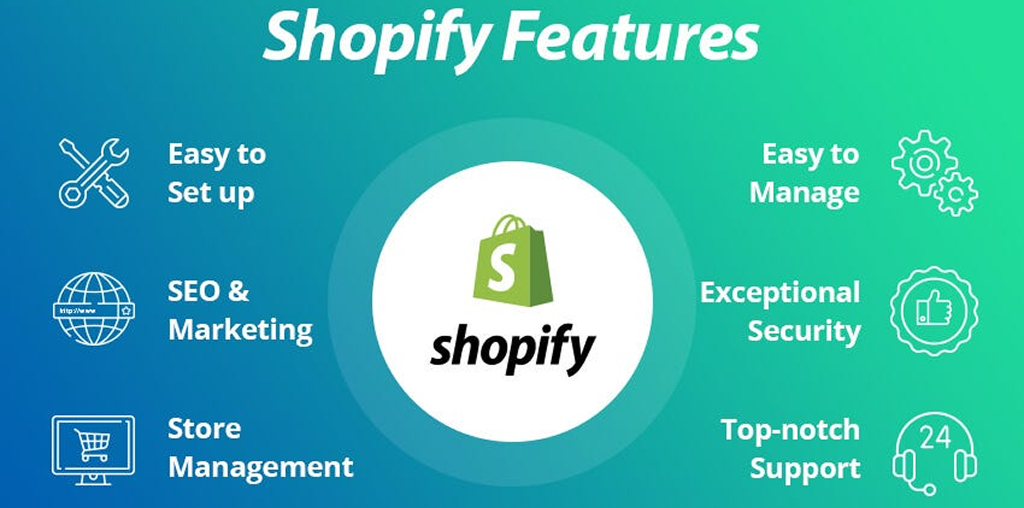
Discover 15 Shopify website features that can improve product discovery, customer trust, checkout experience, repeat purchases, and ecommerce sales. The right Shopify website features can make it easier for customers to find products, understand their options, trust your store, and complete purchases. Features such as fast search, product filters, product recommendations, reviews, mobile-friendly design, streamlined checkout, and personalized customer accounts can reduce friction throughout the buying journey.
1. Fast & Intelligent Product Search
A powerful search function helps customers find products without browsing through multiple collections.
Shopify provides built-in predictive search and typo tolerance, while Shopify Search & Discovery can provide additional search customization.
Customer benefit: Find the right product faster.
2. Product Filters
Filters such as price, size, color, availability, product type, brand, and other attributes help shoppers narrow large catalogs.
Shopify supports standard and custom filters through compatible themes and Search & Discovery.
Customer benefit: Less scrolling and easier product comparison.
3. Product Reviews & Ratings
Reviews provide real customer experiences that can help shoppers evaluate products before purchasing.
Display reviews close to important product information and make sure review content is genuine and clearly presented.
Customer benefit: More information before making a purchase.
4. High-Quality Product Images
Professional product photography can show details, colors, sizes, textures, and product usage more clearly.
Consider using:
- Multiple product views
- Zoom functionality
- Lifestyle images
- Product videos
- Consistent backgrounds
- Mobile-optimized images
5. Mobile-Friendly Store Design
A large portion of ecommerce browsing happens on mobile devices. Your Shopify store should therefore provide comfortable navigation, readable content, accessible buttons, and a straightforward purchasing journey across screen sizes.
Customer benefit: Shop comfortably without needing a desktop.
6. Fast-Loading Pages
Slow pages can create unnecessary friction. Optimize images, review apps and scripts, remove unnecessary code, and avoid adding features that do not provide meaningful value.
Customer benefit: Faster access to products and information.
7. Simple & Flexible Checkout
Checkout should make purchasing straightforward.
Shopify Checkout supports options such as express checkout, local payment methods, address autocomplete, delivery options, and other checkout capabilities depending on the store and configuration.
Customer benefit: Fewer unnecessary steps before payment.
8. Shop Pay & Express Payment Options
Accelerated checkout options can make repeat purchases faster by allowing eligible customers to use saved information. Shop Pay stores customer details to simplify future checkout.
Customer benefit: A faster checkout experience.
9. Related & Complementary Product Recommendations
Recommend products that naturally relate to what customers are viewing.
For example:
Running Shoes → Socks → Insoles → Running Accessories
Shopify Search & Discovery supports related and complementary product recommendations.
Customer benefit: Discover useful products without starting another search.
10. Bundles & Product Upsells
Product bundles can group complementary products into a convenient offer, while relevant upsells can introduce a more suitable or higher-value option.
The key is relevance. An upsell should help customers—not interrupt them.
Customer benefit: Convenient product combinations.
11. Trust Signals & Clear Policies
Customers need confidence before entering payment information.
Include easily accessible:
- Contact information
- Shipping information
- Return/refund policy
- Privacy policy
- Terms
- Secure payment information
- Business details
12. Customer Accounts
Customer accounts can give shoppers access to order information and other self-service features.
Shopify customer accounts can support order tracking, returns, subscriptions, loyalty features, and other capabilities depending on the setup.
Customer benefit: Easier management of previous and future purchases.
13. Wishlist & Save-for-Later Options
A wishlist or save-for-later feature allows shoppers to keep products they are interested in without purchasing immediately.
This can be especially useful for:
- Fashion stores
- Furniture
- Electronics
- Gifts
- Higher-priced products
14. Easy Returns & Order Tracking
Clear order tracking and understandable returns information can remove uncertainty after purchase.
When customers can easily understand where their order is and what happens if they need to return it, the overall shopping experience becomes clearer.
Customer benefit: More confidence before and after purchase.
15. Analytics & Conversion Tracking
Sales growth requires understanding what customers actually do.
Monitor metrics such as:
- Store traffic
- Product views
- Add-to-cart rate
- Checkout activity
- Conversion rate
- Average order value
- Returning customers
- Top-performing products
Which Shopify Features Should You Add First?
Not every store needs all 15 features immediately.
A practical starting point is:
Easy product discovery → Strong product presentation → Trust → Simple checkout → Post-purchase experience
For example, a store with hundreds of products may benefit significantly from search and filtering, while a smaller premium-product store may need to focus more heavily on high-quality imagery, product information, reviews, and checkout clarity.
The best feature set depends on your products, customers, catalog size, business model, and existing conversion problems.
Do & Don't for Shopify Ecommerce Features
| Do | Don’t |
|---|---|
| Add features based on customer needs | Add apps simply because they are popular |
| Keep navigation simple | Overload pages with pop-ups |
| Optimize for mobile | Design only for desktop |
| Use relevant recommendations | Show unrelated products |
| Display genuine reviews | Use misleading testimonials |
| Monitor conversion data | Assume every feature increases sales |
| Test important customer journeys | Launch without checking checkout |
Expert Recommendation
Before adding a Shopify feature, identify the friction it is supposed to remove.
For stronger E-E-A-T, base decisions on real customer questions, support requests, analytics, product data, and usability testing. Clearly explain products, pricing, shipping, returns, and business information instead of relying on aggressive sales tactics.
A well-built Shopify store should make customers think “I understand this product, I trust this store, and I know what to do next.”
Why Shopify Development Matters for Sales
Features work best when they are integrated into a coherent customer journey rather than added independently.
At quitecoder.agency, Shopify development can combine storefront design, custom sections, responsive layouts, product experiences, integrations, performance improvements, and conversion-focused functionality.
Our approach focuses on building features around your products and customers—not simply filling your website with apps.
Frequently Asked Questions
1. What Shopify features can increase ecommerce sales?
Features such as product search, filters, reviews, high-quality images, recommendations, mobile optimization, fast checkout, trust information, customer accounts, and analytics can improve different parts of the shopping journey.
2. Does adding more Shopify features guarantee more sales?
No. Features do not guarantee higher sales. Their effectiveness depends on implementation, product-market fit, pricing, traffic quality, customer experience, and how well the feature solves a genuine problem.
3. What is the most important Shopify feature for large product catalogs?
Search and filtering can be particularly useful for large catalogs because they help customers narrow products by relevant attributes. Shopify Search & Discovery supports search customization and product filters.
4. How can product recommendations help a Shopify store?
Relevant related and complementary product recommendations can help shoppers discover additional products that fit their purchase or browsing intent.
5. Why is mobile optimization important for Shopify stores?
Mobile optimization makes navigation, product browsing, forms, and checkout easier to use on smaller screens, helping create a consistent shopping experience across devices.
6. Do product reviews help ecommerce stores?
Genuine product reviews can provide additional information and customer experiences that help shoppers evaluate products. Reviews should be authentic and accurately presented.
7. Can Shopify checkout be customized?
Shopify provides checkout customization capabilities, with the available options depending on the store’s setup and Shopify plan. Shopify also supports checkout extensions and apps for eligible customization requirements.
8. What is the purpose of Shopify product filtering?
Product filters allow shoppers to narrow collection and search results using attributes such as price, availability, product type, size, color, or custom product data.
9. How can I know which Shopify features my store needs?
Review your analytics, customer questions, product catalog, abandoned shopping journeys, and usability issues. Then prioritize features that address the biggest customer or business problems.
10. Can quitecoder.agency help add custom Shopify features?
Yes. quitecoder.agency can help businesses plan, design, customize, and develop Shopify storefront features according to their ecommerce requirements.


Recent blog