

Shopify Website Design Best Practices for Higher Conversions
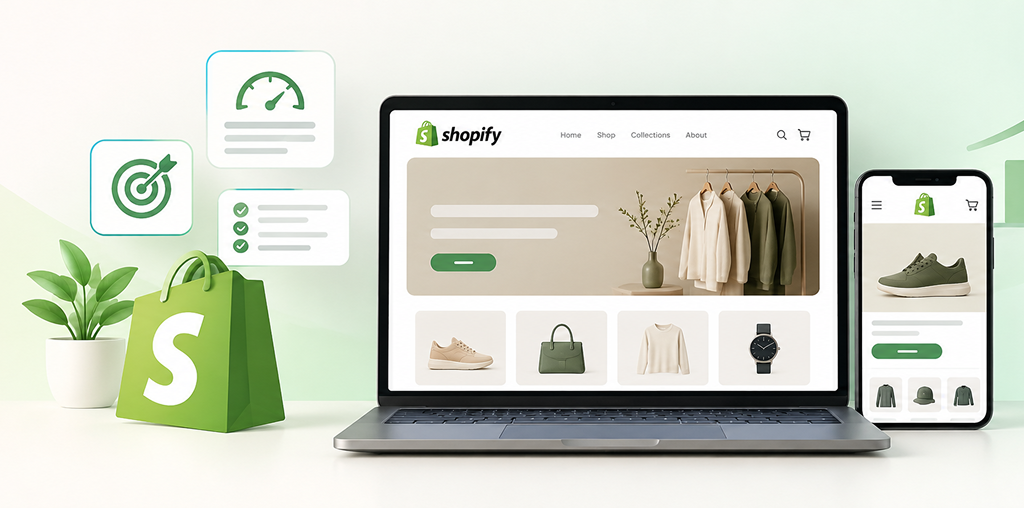
Shopify Website Design Best Practices for Higher Conversions
Discover Shopify website design best practices that improve user experience, trust, mobile performance, product discovery, and eCommerce conversions.
How Can Shopify Website Design Increase Conversions?
A high-converting Shopify website does more than display products—it makes it easy for customers to discover, trust, evaluate, and purchase products with minimal friction.
The best Shopify website design combines fast performance, mobile-first layouts, clear navigation, compelling product pages, strong calls-to-action, transparent information, and a simple checkout experience.
For businesses, the goal is not to make a Shopify store look impressive alone. The goal is to turn relevant visitors into confident customers.
8 Shopify Design Best Practices for Higher Conversions
1. Build for Speed First
Customers are less likely to stay engaged with a slow online store.
Optimize product images, reduce unnecessary apps and scripts, use efficient theme code, and regularly review mobile performance.
A visually attractive Shopify store that loads slowly can lose potential customers before they even see the product.
2. Design Mobile-First
A large portion of eCommerce browsing happens on smartphones, so Shopify stores should be designed around smaller screens first.
Make sure customers can easily:
- Navigate the store
- Search for products
- View product images
- Select variants
- Read essential information
- Add products to cart
- Complete
Buttons should be easy to tap, text should remain readable, and important information should not be buried beneath excessive design elements.
3. Create Simple Navigation
Good navigation helps customers find products without thinking too much.
Use clear categories, logical collections, useful search, filters where appropriate, and recognizable navigation labels.
Avoid creating a complicated menu simply because the store has many products.
Better navigation = less friction = easier product discovery.
4. Use Product Pages That Answer Buying Questions
Your product page should give customers the information they need before purchasing.
Include:
- Clear product title
- High-quality product images
- Relevant product details
- Price and variants
- Availability information
- Shipping information
- Returns policy
- Customer reviews where genuine
- Prominent Add to Cart button
Use images to demonstrate the product in real-world context rather than relying only on decorative photography.
5. Make the Add-to-Cart Journey Obvious
The primary action on a product page should be easy to identify.
Use a clear Add to Cart button with sufficient visual separation from secondary actions.
For longer product pages, consider whether a suitable sticky purchase action would help mobile users without obstructing important content.
Every additional step between product discovery and purchase should have a clear purpose.
6. Build Trust Before Asking for the Sale
Customers need confidence before entering payment information.
Your Shopify store should clearly communicate:
Who you are.
What you sell.
How products are delivered.
What happens if something goes wrong.
How customers can contact you.
Authentic reviews, clear policies, secure checkout messaging, transparent shipping information, and accessible contact details can reduce purchase hesitation.
Never use fake reviews, misleading scarcity, or deceptive countdown timers to manufacture trust.
7. Reduce Checkout Friction
Checkout should be as straightforward as possible.
Keep unnecessary distractions low, provide clear costs before payment, offer appropriate payment methods, and make errors easy to understand and correct.
Unexpected shipping charges or unclear policies can create hesitation at the point when purchase intent is highest.
8. Design for Shopify SEO and Search Discovery
Conversion-focused design should also support organic discovery.
Use descriptive product and collection titles, logical headings, useful product descriptions, crawlable links, clean internal linking, descriptive image alt text, and appropriate structured data where applicable.
Google recommends making eCommerce product information understandable and accessible to search engines so products can be discovered and represented appropriately in Search.
Shopify Website Design for SEO, AEO & GEO
A modern Shopify store should be understandable to customers, search engines, and AI-powered discovery systems.
Semantic SEO
Connect related concepts naturally across product, collection, category, informational, and support pages.
For example, a fashion store can create meaningful relationships between products, materials, sizing, styling, shipping, care instructions, and customer questions rather than repeating the same keyword across every page.
AEO & GEO
Answer important customer questions directly.
Product and informational content should clearly explain:
- What the product is
- Who it is for
- What makes it different
- How to use it
- Shipping and returns
- This creates useful, structured information that is easier for search engines and AI systems to interpret.
This creates useful, structured information that is easier for search engines and AI systems to interpret.
Shopify Store Design From the Customer's Point of View
Customers do not care which Shopify theme, app, or coding technique you used.
They care about simple questions:
“Can I find what I want quickly?”
“Can I understand this product?”
“Can I trust this store?”
“How much will delivery cost?”
“Can I return it if it doesn’t work for me?”
“Can I complete my purchase easily on my phone?”
A successful Shopify website answers these questions before customers have to search for them.
Do & Don't for Shopify Conversion Optimization
| Do | Don’t |
|---|---|
| Keep navigation simple | Overcomplicate menus |
| Optimize images and apps | Install unnecessary apps |
| Show clear product information | Use vague product descriptions |
| Make CTAs obvious | Hide the Add to Cart button |
| Display genuine reviews | Use fabricated social proof |
| Explain shipping and returns | Surprise customers at checkout |
| Design for mobile | Optimize only for desktop |
| Test important conversion paths | Assume the first design is perfect |
Expert Recommendation
Design the Shopify store around customer decisions—not around decoration.
Before adding another animation, popup, banner, or app, ask: Does this help the customer understand, trust, or purchase the product?
At the same time, monitor real behavior using appropriate analytics and testing. Review product-page engagement, add-to-cart behavior, checkout progression, search usage, and mobile performance to identify where customers experience friction.
A high-converting Shopify store is continuously improved—not simply designed once and forgotten.
What Makes a Shopify Store High-Converting?
The strongest Shopify websites typically combine:
Fast performance + clear navigation + persuasive product information + genuine trust signals + mobile usability + simple checkout + continuous optimization.
No single theme, app, color, button, or design trick guarantees higher conversions. Conversion rate depends on the product, audience, pricing, offer, traffic quality, customer expectations, and overall shopping experience.
Frequently Asked Questions
1. What is the best Shopify website design for higher conversions?
The best Shopify design is fast, mobile-friendly, easy to navigate, trustworthy, and focused on helping customers make purchasing decisions with minimal friction.
2. How can I increase Shopify conversion rates?
Improve product pages, mobile usability, website speed, navigation, trust signals, checkout clarity, product information, and calls-to-action. Test changes using real customer behavior rather than assumptions.
3. Does Shopify website speed affect conversions?
Yes. Slow pages can create friction and increase the likelihood that visitors leave before interacting with products or checkout.
4. What should a Shopify product page include?
A strong product page should provide clear product information, quality images, pricing, variants, availability, shipping and returns information, genuine reviews where available, and an obvious purchase action.
5. Is mobile design important for Shopify stores?
Yes. Customers increasingly browse and shop from mobile devices, so Shopify stores should provide easy navigation, readable content, accessible buttons, and a smooth mobile purchasing journey.
6. How important are customer reviews on Shopify?
Genuine customer reviews can provide useful social proof and help shoppers evaluate products. Reviews should be authentic and should not be manipulated or fabricated.
7. Should Shopify stores use popups?
Popups can be useful when they provide genuine value, such as relevant offers or helpful information. Excessive or poorly timed popups can interrupt the shopping experience.
8. Does Shopify SEO help increase sales?
SEO can help qualified customers discover products through organic search. However, traffic alone does not guarantee sales; product quality, pricing, trust, user experience, and conversion optimization also matter.
9. How often should a Shopify website be optimized?
Optimization should be ongoing. Businesses should periodically review performance, mobile usability, product pages, search behavior, analytics, conversion paths, and customer feedback.
10. Can a Shopify development agency improve store conversions?
Yes. An experienced Shopify agency can identify UX issues, improve store architecture, optimize templates and performance, strengthen product pages, and implement conversion-focused improvements based on business objectives and customer behavior.
Turn Your Shopify Store Into a Better Sales Experience
Your Shopify store should not simply look good—it should make buying easier.
At quitecoder.agency, we help businesses create modern Shopify websites focused on conversion-friendly UX, responsive design, performance, Shopify development, SEO-ready architecture, product discovery, and scalable eCommerce experiences.
Whether you are launching a new Shopify store, redesigning an existing store, improving product pages, or trying to remove conversion barriers, quitecoder.agency can help turn your store into a stronger digital sales channel.
Explore quitecoder.agency and build a Shopify experience designed around your customers—and your business growth.
Final Takeaway
A high-converting Shopify website is built around one simple principle:
Make it easier for the right customer to confidently buy.
Prioritize speed, mobile usability, simple navigation, strong product pages, genuine trust, transparent information, friction-free checkout, and continuous optimization.
When design supports both customer needs and business goals, your Shopify store becomes more than an online catalog—it becomes a practical engine for eCommerce growth.