
How to Build a Fast, Responsive and Conversion-Focused Website
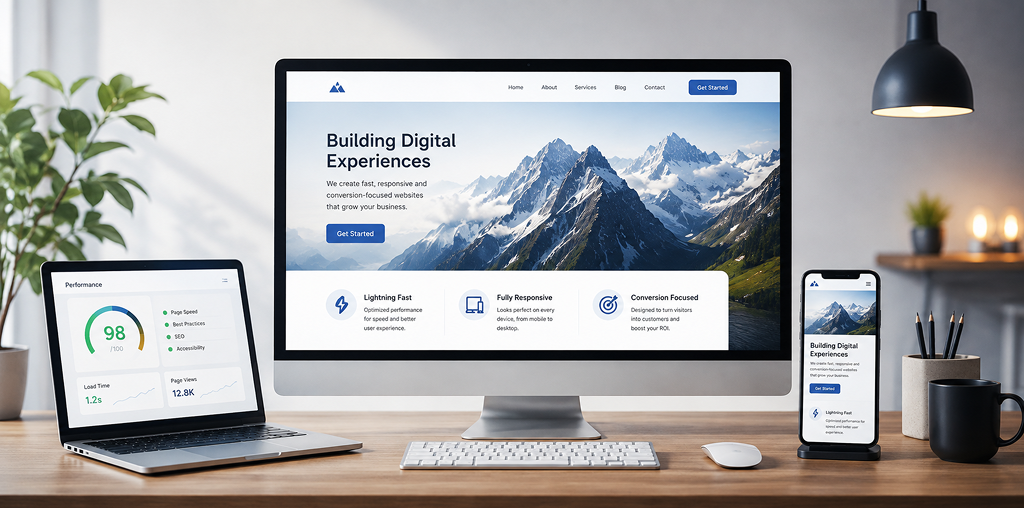
How to Build a Fast, Responsive & Conversion-Focused Website
Learn how to build a fast, responsive and conversion-focused website with better UX, mobile performance, SEO, accessibility and clear CTAs that turn visitors into customers.
How to Build a Fast, Responsive and Conversion-Focused Website
A successful website should do more than look attractive—it should load quickly, work smoothly on every device, appear in search results, answer user questions clearly, and guide visitors toward action. The best websites combine performance, responsive web design, intuitive UI/UX, technical SEO and conversion-focused content to create a better experience for both customers and search engines.
Whether you are building a business website, ecommerce store, landing page or professional service website, focusing on website speed, mobile responsiveness, user experience and conversion optimization from the beginning can make a measurable difference.
1. Start With a Clear Website Strategy
Before choosing colors, animations or layouts, define what the website needs to achieve.
Identify Your Target Customer
Understand:
1. Who your customers are
2. What problem they are trying to solve
3. What information they need
4. What action you want them to take
A customer should quickly understand who you are, what you offer and why they should choose you.
Create a Simple User Journey
A strong website usually follows a logical path:
Discover → Understand → Trust → Take Action
Avoid unnecessary pages, confusing navigation and excessive popups that interrupt this journey.
2. Make Website Speed a Priority
Website performance directly affects usability. A slow website can frustrate visitors before they even see your main content.
Improve Page Loading Speed
Focus on practical improvements such as:
- Compressing and properly sizing images
- Using modern image formats where appropriate
- Removing unnecessary scripts
- Minimizing unused CSS and JavaScript
- Using browser caching
- Choosing reliable hosting
- Lazy-loading below-the-fold media
- Reducing excessive third-party applications
Performance should be considered during development—not treated as a final-stage fix.
Focus on Core Web Vitals
Pay attention to important user-experience signals such as Largest Contentful Paint (LCP), Interaction to Next Paint (INP), and Cumulative Layout Shift (CLS).
A fast website should also feel stable and responsive while users interact with it.
3. Build a Truly Responsive Website
Responsive web design means more than making a desktop website shrink on mobile.
Your layout should adapt naturally to:
1. Smartphones
2. Tablets
3. Laptops
4. Desktop monitors
Design for Mobile Users First
Check font sizes, buttons, menus, forms, images and spacing on smaller screens.
Buttons should be easy to tap, navigation should be simple, and important information should not be hidden behind unnecessary interactions.
Customer point of view: If a visitor has to zoom, scroll sideways or repeatedly search for the checkout or contact button, the website is creating friction.
4. Design Every Page Around Conversion
A conversion-focused website makes the next step obvious.
Use Clear Calls-to-Action
Instead of vague buttons such as “Submit” or “Click Here,” use action-oriented language:
1. Get a Free Quote
2. Book a Consultation
3. Start Your Project
4. Shop Now
5. Request a Demo
6. Contact Our Team
Place important CTAs where they make sense—especially after explaining your value proposition.
Reduce Conversion Friction
Keep forms short, explain what happens next and provide reassurance where customers may hesitate.
For ecommerce websites, clearly communicate pricing, shipping information, returns, availability and payment options.
5. Create Better UI/UX
Good UI attracts attention. Good UX helps visitors accomplish their goals.
Keep Navigation Simple
Use descriptive navigation labels and organize content logically. Visitors should not have to guess where to find products, services, pricing or contact information.
Build a Visual Hierarchy
Use headings, whitespace, typography, buttons and imagery to show users what matters most.
A good page should be scannable before it is read in detail.
6. Build SEO Into the Website
Search engine optimization should support the customer experience rather than make content feel unnatural.
Use Semantic SEO
Create content around topics, entities, related questions and search intent—not just individual keywords.
For example, a page about website development services can naturally cover responsive design, frontend development, website performance, accessibility, UX, SEO and conversion optimization.
Use meaningful:
- H1 headings
- H2 and H3 sections
- Descriptive URLs
- Internal links
- Image alt text
- Title tags and meta descriptions
- Structured data where appropriate
7. Optimize for AI Search and Answer Engines
Modern search behavior increasingly includes AI-generated answers and conversational search.
Follow AEO and GEO Principles
Answer Engine Optimization (AEO) focuses on making information easy for systems to understand and answer.
Generative Engine Optimization (GEO) focuses on creating clear, useful, trustworthy information that can be understood and potentially referenced by generative search experiences.
A practical approach is simple:
Answer the main question quickly, then provide useful supporting details.
Use concise definitions, direct answers, descriptive headings, FAQs and logically structured content.
This helps both human readers and AI systems understand the purpose and context of your page.
8. Strengthen E-E-A-T and Trust
A professional website should demonstrate Experience, Expertise, Authoritativeness and Trustworthiness.
Show relevant credentials, experience, client results, case studies, testimonials and transparent business information where appropriate.
Expert Recommendation
Do not optimize only for search engines. Build the website you would want to use as a customer. Start with user needs, make important information easy to find, support claims with evidence and continuously improve the experience using real user behavior and performance data.
Do & Don’t for a Better Website
| Do | Don’t |
|---|---|
| Optimize images and scripts | Upload unnecessarily large images |
| Design for mobile users | Treat mobile as an afterthought |
| Use clear CTAs | Fill every section with competing buttons |
| Write useful, original content | Stuff pages with keywords |
| Simplify navigation | Create confusing menus |
| Test forms and interactions | Assume everything works |
| Build trust with real information | Make unsupported claims |
| Monitor performance | Ignore speed after launch |
9. Test Before and After Launch
A website is never truly finished.
Test:

1. Mobile and desktop layouts
2. Navigation
3. Contact and lead forms
4. Buttons and links
5. Checkout processes
6. Page speed
7. Accessibility
8. Browser compatibility
9. SEO metadata
10. Structured data
11. Conversion paths
After launch, review analytics, search performance, user behavior and conversion data. Small improvements to headlines, layouts, forms or CTAs can have a meaningful impact.
Build a Better Website With quitecoder.agency
Your website is often the first interaction a potential customer has with your business. Make that interaction count.
If you need a fast, responsive, SEO-friendly and conversion-focused website, explore quitecoder.agency for professional website design and development solutions tailored around your business goals.
Ready to turn more visitors into customers? Start your next website project with quitecoder.agency today.


What Makes a Website Successful?
A high-performing website brings several elements together:
Speed + Responsive Design + UX + SEO + Trust + Clear Messaging + Conversion Strategy
Removing any one of these can weaken the overall experience. A visually impressive website that loads slowly may lose visitors. A fast website with confusing navigation may fail to generate leads. A beautifully designed website without clear messaging may leave customers unsure what to do next.
The goal is to create a website that is fast for users, understandable for search engines, accessible across devices and persuasive enough to encourage action.
Frequently Asked Questions
1. What makes a website fast?
A fast website uses optimized images, efficient code, reliable hosting, caching and minimal unnecessary scripts. Performance should also be monitored using real user and laboratory testing.
2. Why is responsive web design important?
Responsive design allows a website to adapt to different screen sizes, providing a consistent and usable experience across smartphones, tablets and desktop devices.
3. How can I make my website more conversion-focused?
Use clear messaging, strong calls-to-action, simple navigation, short forms, trust signals and a straightforward customer journey that removes unnecessary friction.
4. Does website speed affect SEO?
Website performance contributes to page experience and can influence how users interact with a site. Faster pages generally provide a better experience, particularly on mobile devices.
5. What are Core Web Vitals?
Core Web Vitals are user-experience metrics used to evaluate important aspects of web performance, including loading performance, responsiveness and visual stability.
6. What is AEO in SEO?
Answer Engine Optimization, or AEO, involves structuring content so that questions can be answered clearly and efficiently by search engines and answer-oriented search experiences.
7. What is GEO in digital marketing?
Generative Engine Optimization, or GEO, is an approach to creating clear, authoritative and context-rich content designed to improve visibility and understanding within generative search experiences.
8. How important is mobile optimization?
Mobile optimization is essential because many website visitors access websites from smartphones. Poor mobile usability can increase frustration and reduce engagement and conversions.
9. How often should a website be optimized?
Website optimization should be ongoing. Review performance, SEO, usability and conversion data regularly and improve areas where customers experience friction.
10. Should SEO be considered during website development?
Yes. Technical SEO, site structure, page speed, responsive design, accessibility, content hierarchy and internal linking are easier to implement correctly when SEO is considered from the beginning.
Recent blog